On this page
Automatic Saving
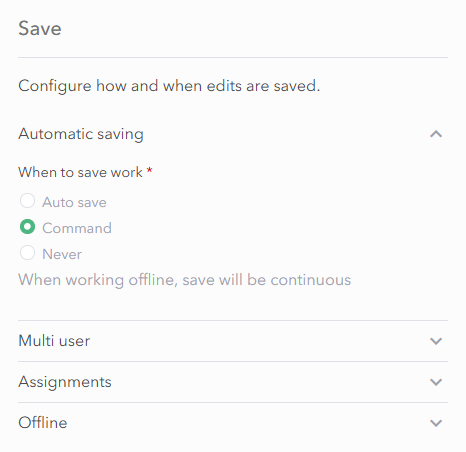
By default Sweet saves all edits automatically without a user having to click on a Save button. This is the recommended option.

Command Saving
The Command option creates an extra button in the header of the app, and users can manually select it when they want to save changes.
When working offline with applications using this setting, Sweet will save changes continuously.
Never Saving
The Never option means changes are never saved. This can be useful for a training app.
Saving with versioned data
It is recommended to use either versioned or non-versioned data. If mixing, different save options may be applicable based on your configuration.
When the wait for server triggered changes setting is enabled, the menu is simplified to only Auto Save and Never.
If the wait for server triggered changes setting is disabled and the app is using versioned data, the save options include Auto, Versioning commands, and Never. Selecting Versioning commands means that the Save and Discard buttons in the client interface apply to both versioned and non‑versioned data.